Free
$0
Enough for your first plot.
Start freeIncludes
- Full editor, stage shapes and section builder
- 1 saved project
- Up to 16 input list channels
- 1 custom image per project
- PNG and PDF export, watermarked
Stage plot software for live production
Build the stage, link it to your input list and export a PDF the venue can work from.
For sound engineers, music directors, tour and production managers, stage managers and anyone else who has to send a stage plot.
Free plan available. Pro is $9.99 a month or $99 a year.
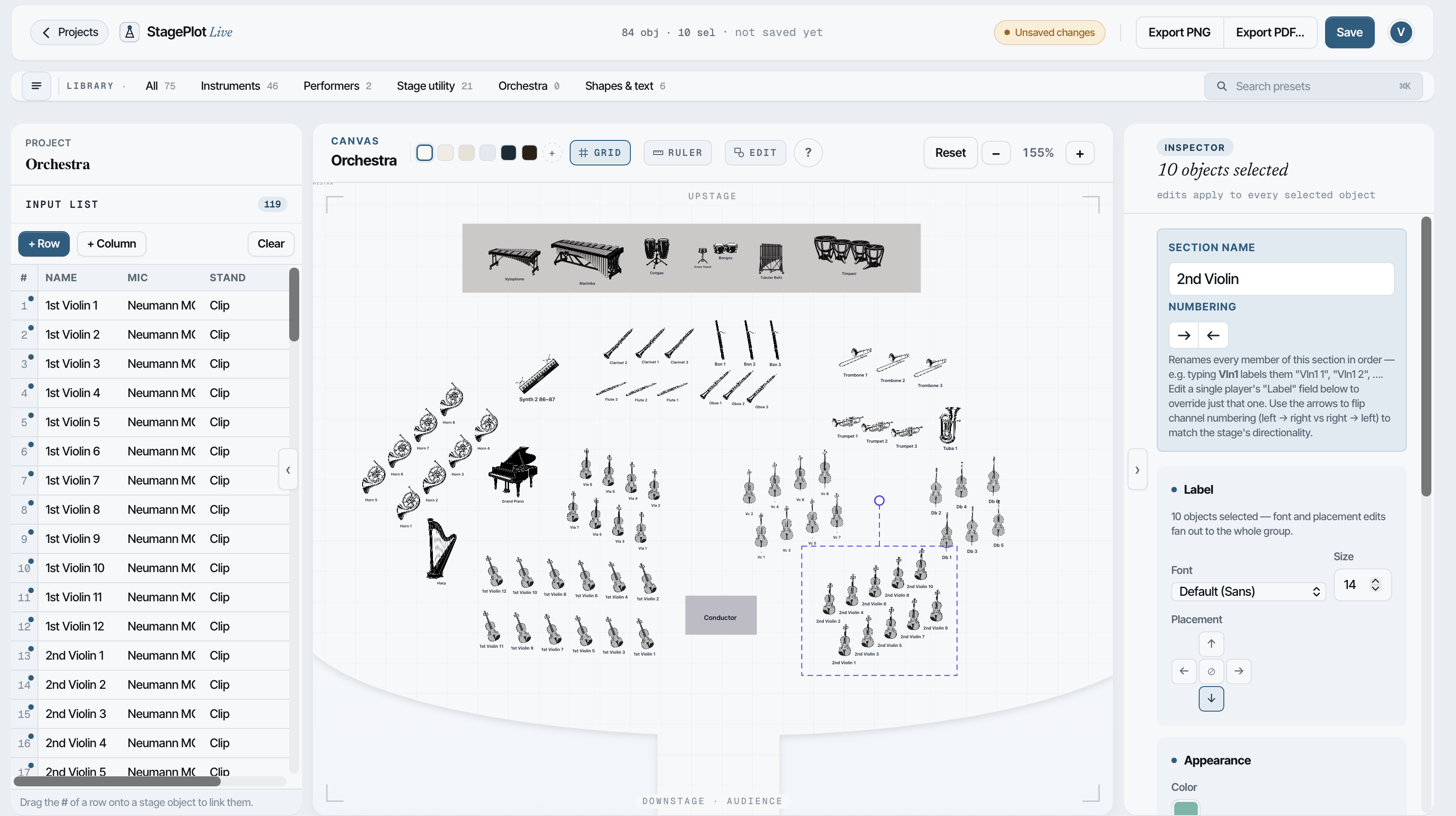
A complete project, from an empty stage to the exported PDF.
A typical orchestra plot made of labelled circles, next to an orchestra drawn in StagePlot Live with instrument symbols, numbered chairs and the input list linked to every seat.
Before
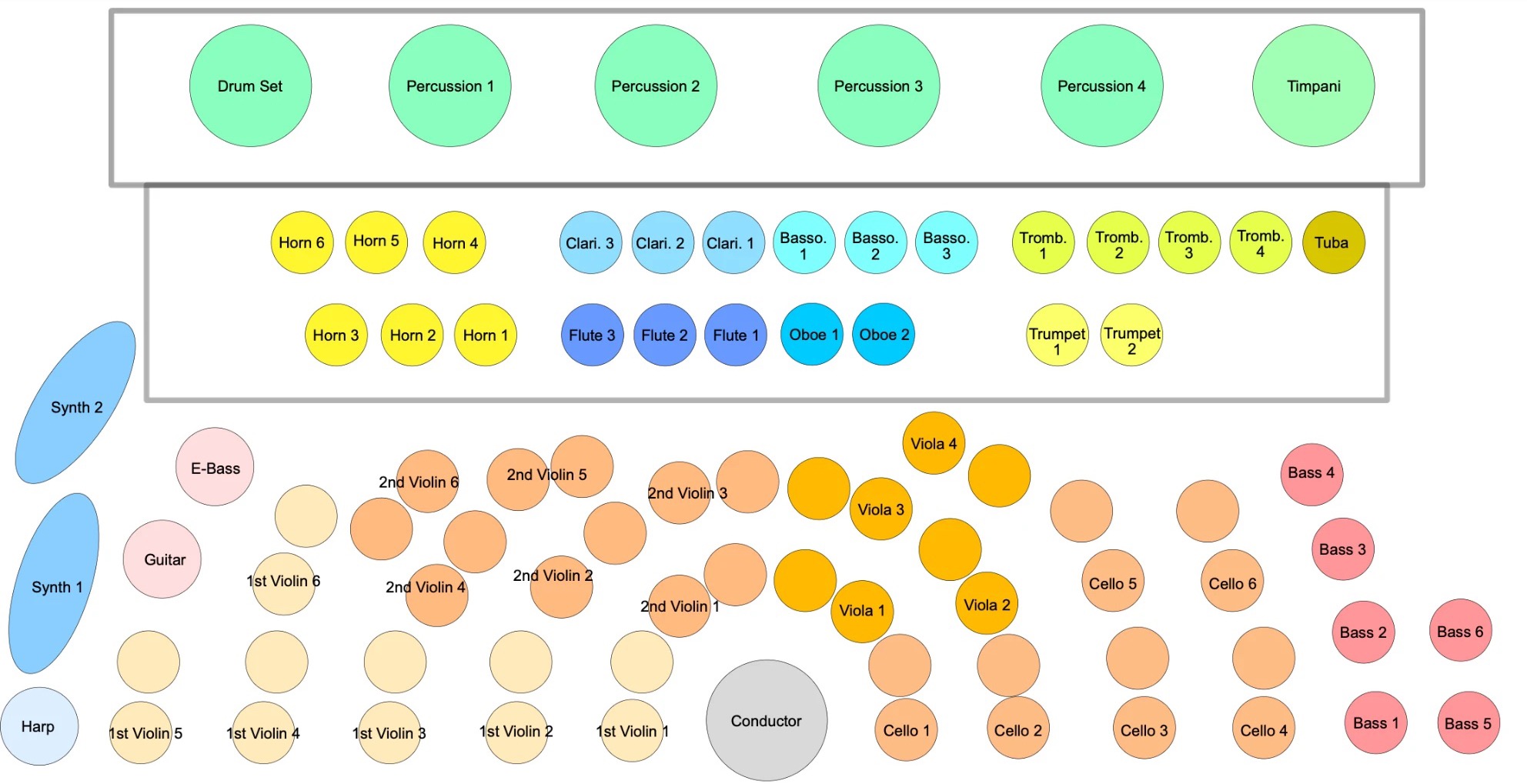
After
Over 100 objects: instruments, performers, risers, monitors, amps, DIs and cases. You can group them, select several at once, rotate, flip and recolour.
A spreadsheet next to the stage. Paste your channel list from a spreadsheet or a rider and the columns are split for you. Free covers 16 channels, Pro has no limit.
For thrusts, runways and odd rooms. Build the stage out of rectangles and circles and cut away the parts that aren't stage.
Drag a row onto a chair to link them. A whole section can take its names from the list.
Add a string section in desk pairs, or winds, brass and choirs in rows. Chairs can be numbered from either side.
Colour-code your channels. A stage box takes the colour of the row you link to it.
Objects take up their real footprint, so you can see in metres how much stage a section needs.
Export the plot as a PDF or PNG. On Pro the channel list goes on the same PDF, next to the plot, under it or on its own page, and there's no watermark.
Save a layout and start your next show from it.
Give someone view or edit access to a project.
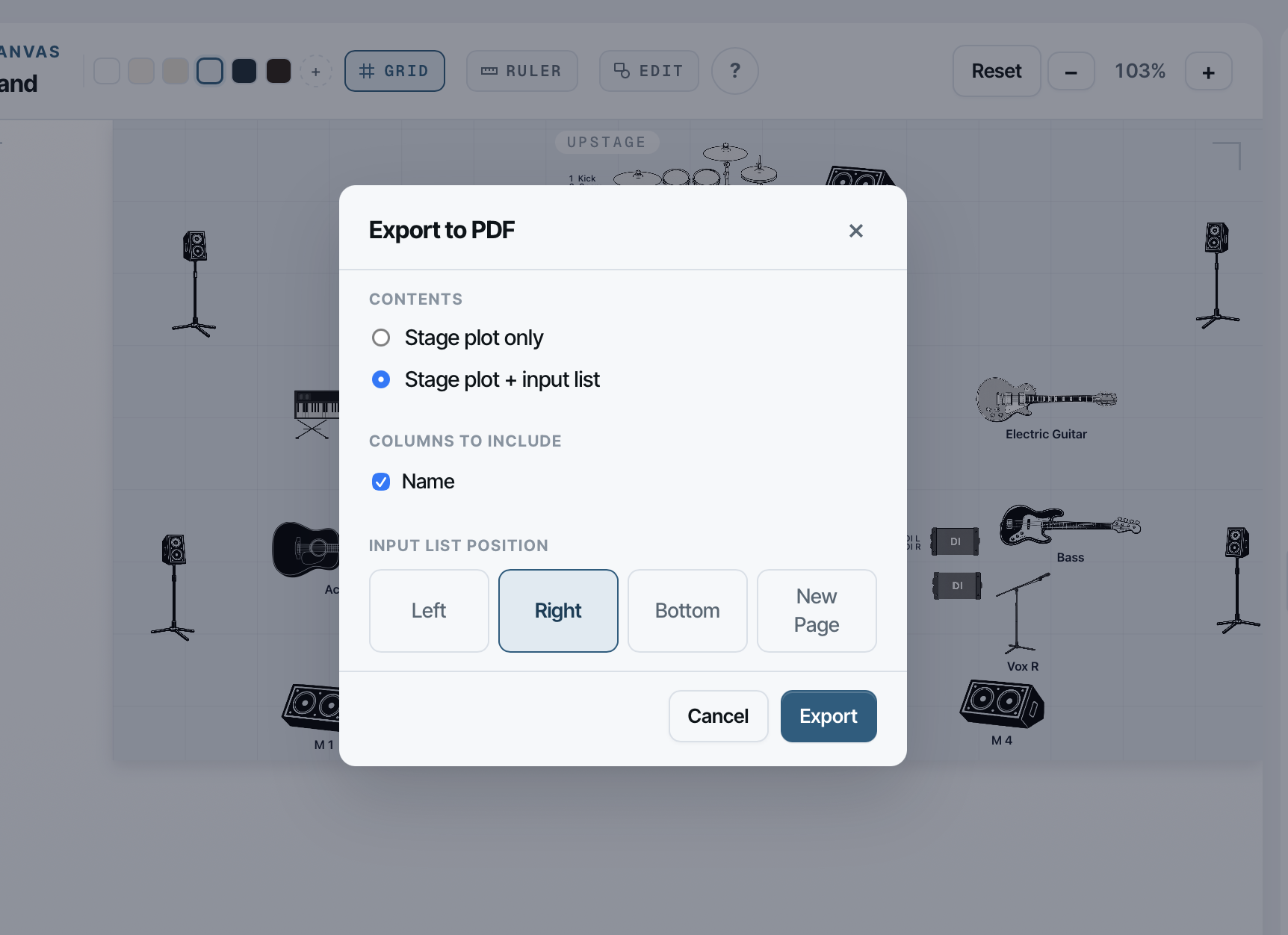
Download a sample PDF: inputs on the right or inputs at the bottom.
Everything in the editor is free. Pro lifts the limits and removes the watermark.
$0
Enough for your first plot.
Start freeIncludes
$9.99a month
Or $99 a year if you pay yearly.
Get ProEverything in Free, plus
Prices are in US dollars.
Plenty. You get the full editor with one project, up to 16 channels and watermarked exports. That's enough to build a real plot and see if it fits how you work. Pro removes the limits.
Yes. Cancel from your account whenever you like and you keep Pro until the end of the billing period. First purchases also come with a 14-day refund, no questions asked.
Nothing is deleted. Channels above 16 are hidden until you upgrade again, and they come back the moment you do. Extra saved projects stay in your account.
Yes. Projects save to your account as you work, so you can pick up where you left off on another computer.
A web browser on a desktop, laptop or tablet. There's nothing to install. You can create an account on a phone, but the editor needs a bigger screen.
Something else? Write to [email protected].